ClaudeTakip
ClaudeTakip
Track your Claude AI usage limits live, right from your macOS menu bar.



🎯 What is ClaudeTakip?
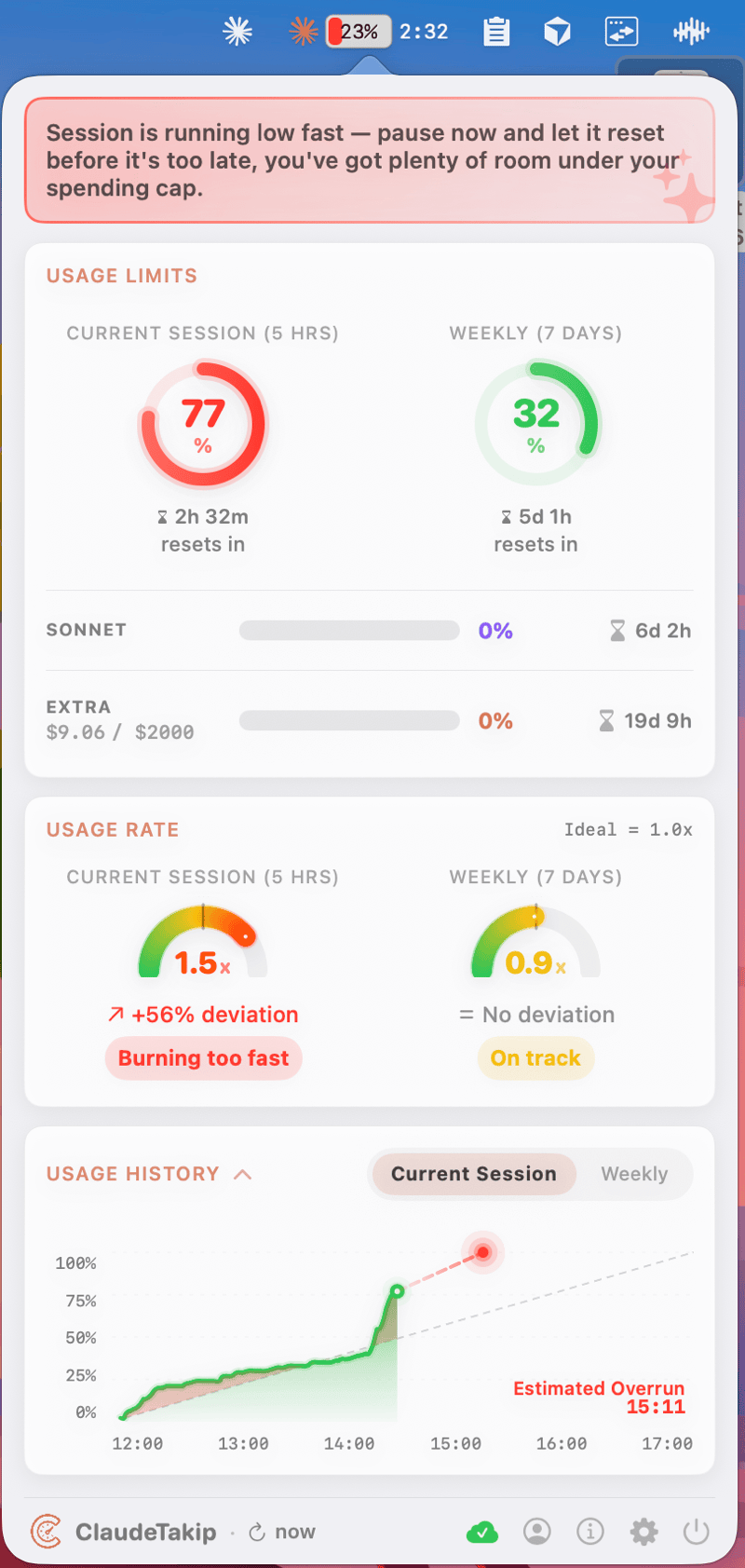
ClaudeTakip is a macOS menu bar app that shows your Claude Pro / Max usage limits in real time — 5-hour session window, 7-day weekly quota, Sonnet usage, and overage spending — all in one compact dashboard.
🔒 Runs 100% locally. Your data never leaves your Mac. No servers, no analytics, no tracking.
✨ Features
- 📊 Real-time tracking — 5-hour session + 7-day weekly limits
- 🎯 Burn rate gauges — session & weekly pace speedometers
- 🤖 AI recommendations — pacing advice powered by Groq
- 📈 Interactive charts — detailed usage history
- 💳 Overage tracking — balance and extra-usage spending
- 🔁 Auto-session — automatically starts a new session when yours expires
- 🌙 Dark mode — follows system, configurable per-app
- 🌍 14 languages — EN, TR, ES, FR, DE, IT, NL, JA, KO, ZH-Hans, ZH-Hant, RU, AR, PT-BR
- 🔄 Auto-update — silent updates via Sparkle
🔄 How It Works
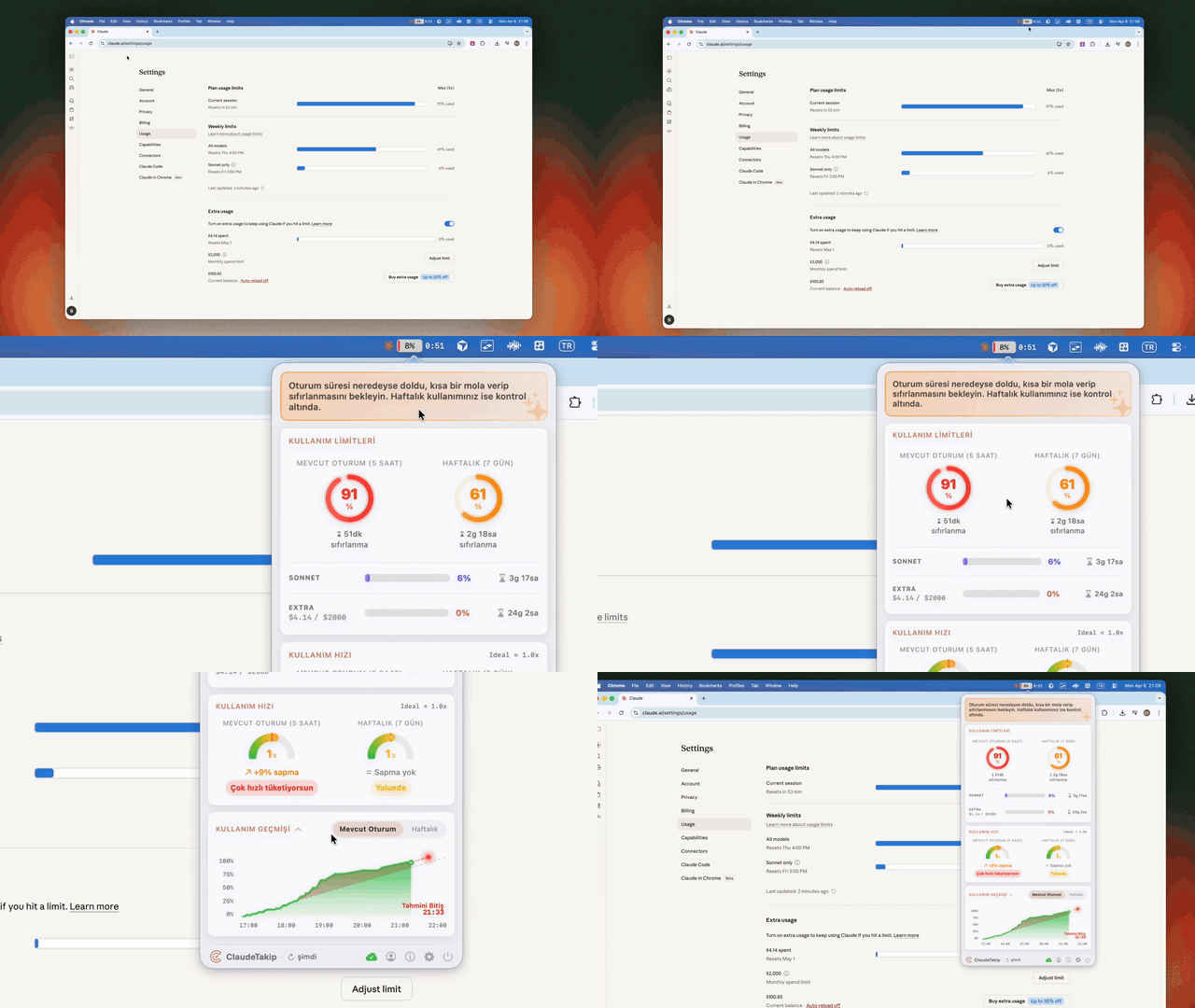
- Click the ClaudeTakip icon in your menu bar
- Sign in with your Claude account (email or Google)
- ClaudeTakip polls
claude.aievery 3 minutes - Usage is cached locally on your Mac and displayed live
All data stays on your Mac — nothing is sent to third-party servers.
📦 Installation
DMG (recommended)
Download the latest .dmg from the Releases page, open it, and drag ClaudeTakip into your Applications folder.
npm
npx claudetakip@latest
Requirement: macOS 15.0 Sequoia or later.
🚀 Usage
- Click the ClaudeTakip icon in your menu bar
- Sign in with your Claude account (email or Google)
- Your usage limits, pace, and history are displayed automatically
🛠️ Build from Source
brew install xcodegen
Then generate the Xcode project and open it:
xcodegen generate
open ClaudeTakip.xcodeproj
Requires Xcode 16+ and Swift 6.
🔐 Privacy
- Talks only to
claude.ai(usage data) andstatus.claude.com(system status) - AI recommendations use anonymized usage percentages via Groq — no account info is sent
- Credentials are stored locally on your Mac with restricted file permissions
- No analytics, no telemetry, no tracking of any kind
ℹ️ About
- 🌐 Website: claudetakip.vercel.app
- 👤 Author: Batuhan Akpunar — LinkedIn